

Wialon Route Tracking with Playback
Wialon Route Tracking with Playback helps fleet managers monitor active routes and review completed journeys on an interactive map. Wialon creates a vehicle track from GPS messages received by the platform, allowing authorized users to see where a vehicle travelled during a selected period. Managers can replay the journey and examine available information such as time, address, speed, mileage, sensor readings, parameters, and event markers. This creates a clearer operational record for investigating delays, reviewing driver activity, confirming completed trips, and improving future fleet planning. Available information depends on the tracking device, transmitted data, access rights, and system configuration.
Monitor Route Progress and Scheduled Checkpoints
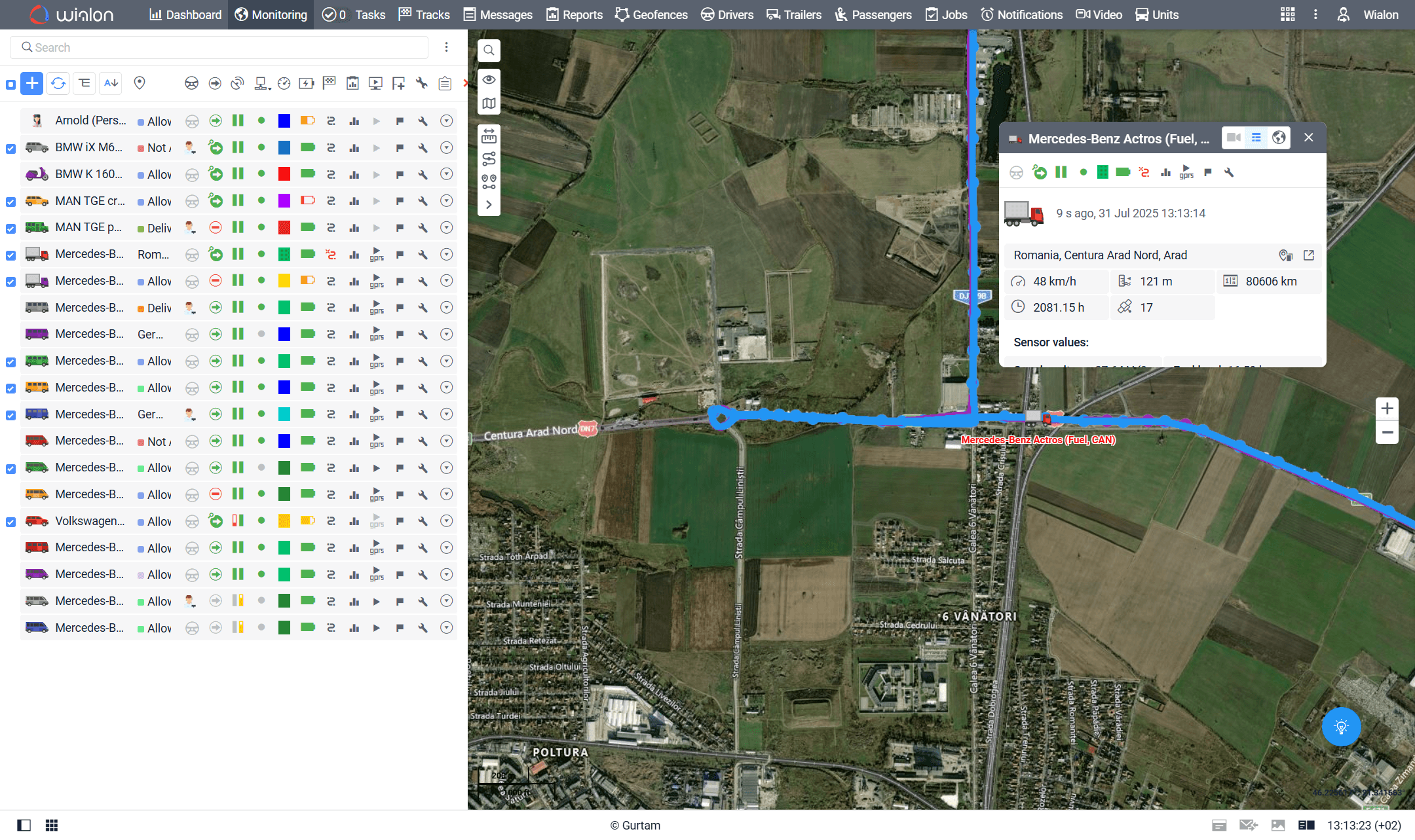
Wialon helps dispatchers follow vehicles as they complete configured routes and scheduled rides. The Routes timeline can display rides in progress, planned checkpoint times, actual checkpoint visits, and early, late, or skipped arrivals. Route-progress notifications can also be configured for events such as a ride beginning or ending, arrival at or departure from a checkpoint, and delays. This visibility helps fleet teams identify service issues sooner, keep schedules organized, and provide customers with more informed updates.


Replay Historical Routes on an Interactive Map
Wialon route playback presents a vehicle’s recorded journey as movement along its historical map track. Users can start, pause, accelerate, or manually navigate the playback by selecting points on the track or timeline. As the vehicle icon moves, Wialon can update the corresponding time, address, speed, parameters, and compatible sensor values. This makes it easier to reconstruct the sequence of a trip, understand where a delay occurred, verify whether a vehicle visited a location, and respond to delivery questions or customer complaints using available fleet records.
Add Operational Context with Track Colours and Event Markers
A route line becomes more useful when it shows what happened along the way. Wialon tracks can be colour-coded by trip, speed, or compatible sensor values and can display configured markers for stops, parking, speeding, fuel fillings, fuel drains, battery charging, and other registered events. Managers can use these visual details to locate unusual activity, compare driving patterns, review inefficient stops, and focus coaching or operational improvements on specific parts of a journey. Event detection depends on the installed hardware, available data, and configuration.
Make Historical Route Data More Useful with Forall Tracking
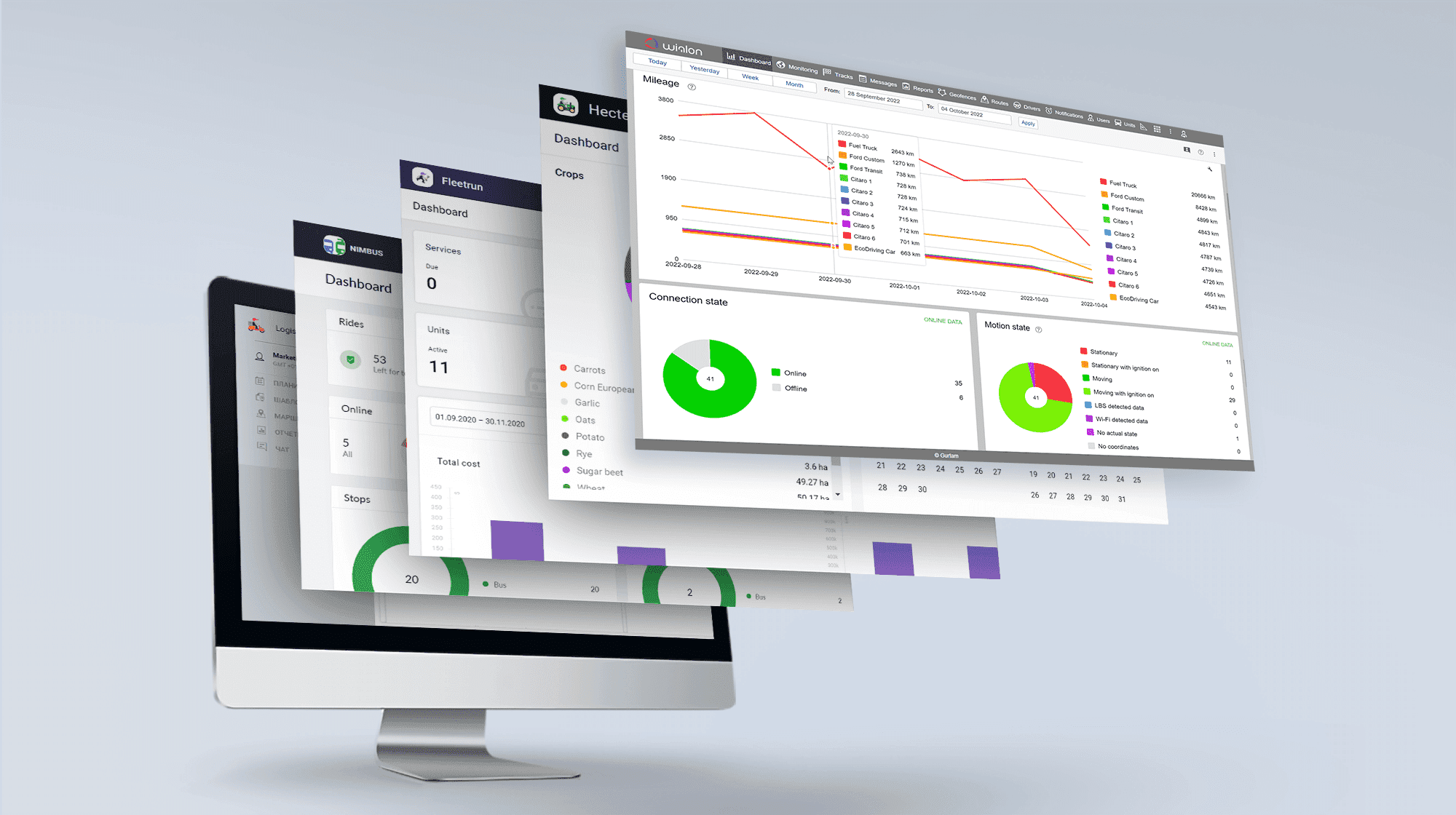
Wialon Route Tracking with Playback gives fleet managers a practical way to connect vehicle movement with time, location, speed, checkpoints, and supported operational events. When properly configured, it can help improve dispatching, resolve trip-related questions, support driver coaching, and reveal recurring route inefficiencies. Forall Tracking can help you select and configure a Wialon solution suited to your vehicles, assets, and operational requirements. Contact us to learn how Wialon route tracking and playback can provide clearer visibility into every fleet journey.
Frequently Asked Questions
What is Wialon Route Tracking with Playback?
Wialon Route Tracking with Playback allows authorized users to view a vehicle’s recorded path on a map and replay its movement over a selected time period. The playback can show available information such as time, location, speed, mileage, sensor readings, parameters, and operational events.
How does Wialon route playback work?
Wialon uses messages containing coordinates received from a vehicle’s GPS tracking device to create a historical track. During playback, the vehicle icon moves along this track while the displayed trip information updates according to each recorded message.
Is Wialon route playback the same as live GPS tracking?
No. Live GPS tracking shows the latest reported vehicle position and activity, while route playback recreates a journey using historical GPS data. Fleet managers can use both functions to monitor current operations and investigate completed trips.
Can Wialon show the exact route a vehicle travelled?
Wialon can display the path created from the GPS coordinates transmitted by the tracking device. Its accuracy and level of detail depend on GPS signal quality, device reporting frequency, cellular connectivity, hardware settings, and the data received by the platform.
Can I select a specific date and time for route playback?
Yes. Users can generate a track for a preset or custom time interval, depending on the Wialon interface being used. This makes it possible to focus on a particular trip, shift, incident, or customer visit.
Can I change the speed of Wialon route playback?
Yes. Wialon provides multiple playback speeds so users can review a journey at normal or accelerated speed. Playback performance can vary according to the browser, computer, number of messages, and spacing between recorded messages.
Can I pause and manually navigate through a route?
Yes. Users can pause playback and move between recorded track points. They can also select a location on the track or timeline to review the vehicle’s available information at that particular moment.
What information can Wialon display during route playback?
Depending on the device and configuration, Wialon may display the date, time, address, speed, movement direction, mileage, sensor values, device parameters, and associated events. Only information transmitted by compatible hardware and made available through the account can be shown.
Can Wialon show stops and parking locations on a route?
Yes. Wialon can place markers on a track where stops and parking intervals were detected. Detection results depend on the vehicle’s trip-detector settings, GPS data, and other configured conditions.
Can speeding events appear during route playback?
Yes. Detected speeding events can be displayed as markers on the track and timeline when the relevant options are enabled. Users can select an event marker to review where and when the speeding occurred.
Can Wialon display fuel events on historical routes?
Wialon can display detected fuel fillings and fuel drains when compatible fuel-monitoring hardware and sensors are installed and configured. These events can appear as markers at their recorded locations on the route.
Can route tracks be colour-coded in Wialon?
Yes. In the Wialon web platform, tracks can be displayed using a single colour or colour-coded by individual trips, speed ranges, or compatible sensor values. Colour settings help managers interpret vehicle activity more quickly.
Can Wialon track vehicles along scheduled routes?
Yes. Wialon can monitor configured rides along routes containing checkpoints and schedules. The Routes timeline can show planned and actual checkpoint activity, including early, late, visited, or skipped checkpoints.
Can Wialon notify me about route delays?
Yes. Route-progress notifications can be configured for supported events such as a ride beginning, ending, or being aborted, as well as checkpoint arrivals, departures, delays, and other route conditions.
How can route playback help investigate customer complaints?
Fleet managers can review the vehicle’s available location history, route, stops, speed, and timestamps for the period in question. This information can help determine whether a vehicle visited a customer location or experienced an operational delay, subject to the quality and availability of the recorded data.
Can Wialon route playback help improve driver performance?
Yes. Managers can review routes, speeding events, stops, parking periods, and other available activity to identify coaching opportunities. Historical tracks should be evaluated alongside operational context, company policies, and applicable privacy or employment requirements.
Can I view Wialon route playback on a mobile device?
Yes. The Wialon mobile app allows authorized users to generate and navigate historical tracks. Users can automatically play a track or manually select points and events to review available location, speed, sensor, and parameter data.
Why is part of a Wialon route shown as a dashed line or missing?
A dashed or missing section may indicate that Wialon did not receive valid coordinates for part of the selected period. Possible causes include weak GPS reception, loss of connectivity, device power issues, reporting settings, private-mode restrictions, or gaps in transmitted data.
Does Wialon route playback require special GPS hardware?
Wialon requires a compatible tracking device that can transmit coordinate data to the platform. Additional information, such as fuel levels, temperature, or equipment status, may require compatible sensors, accessories, and system configuration.
How can Forall Tracking help with Wialon Route Tracking and Playback?
Forall Tracking can help businesses choose compatible tracking hardware and configure Wialon according to their fleet requirements. Contact us to learn how route tracking, historical playback, event markers, and route-progress monitoring can improve visibility across your fleet.

Check Pricing
All of our GPS tracking solutions are customized for your business and tailored to your budget...

Return on Investment
At GPS Tracking Canada, we understand that every company benefits from GPS Tracking in different ways...

Request a Demo
Get a live one-on-one demonstration from GPS Tracking Canada. See for yourself how customized...
For more information, or to schedule a demo or an installation,