

Wialon Stops Reports
Wialon Stops Reports show when, where, and for how long a tracked vehicle briefly stopped during a trip. In Wialon, a stop occurs when the vehicle’s speed falls below the configured minimum moving speed for less than the minimum parking time, so the trip remains in progress. Stops may occur at customer locations, intersections, traffic lights, loading areas, or in congestion. By converting GPS tracking data into clear stop records, Wialon helps fleet managers understand how vehicles spend time between departure and arrival. Detection accuracy depends on the GPS device, transmitted data, and properly configured Wialon trip detector.

See When, Where, and How Long Vehicles Stop
A Wialon Stops Report can display each stop’s beginning time, end time, duration, address, coordinates, assigned driver, trailer, and other available information. Stop markers can also be displayed on the map, helping managers connect tabular records with precise geographic context. This visibility makes it easier to review unexplained delays, confirm short visits, examine recurring stopping locations, and answer operational questions using historical tracking data instead of relying only on driver recollection. The available fields depend on the vehicle, connected equipment, account services, and report configuration.


Identify Delays and Improve Fleet Productivity
Reviewing vehicle stops can reveal patterns that may reduce productivity, such as repeated interruptions, congested locations, inefficient routes, or excessive waiting between scheduled activities. Fleet managers can compare stop activity across vehicles, drivers, routes, and reporting periods to identify where further investigation may be worthwhile. Because Wialon distinguishes short stops from longer parking intervals according to configurable trip-detection settings, businesses can analyze brief interruptions without automatically treating every stationary event as the end of a trip. This provides a clearer foundation for improving dispatch decisions, route planning, and daily fleet utilization.
Create Focused Reports for Faster Decision-Making
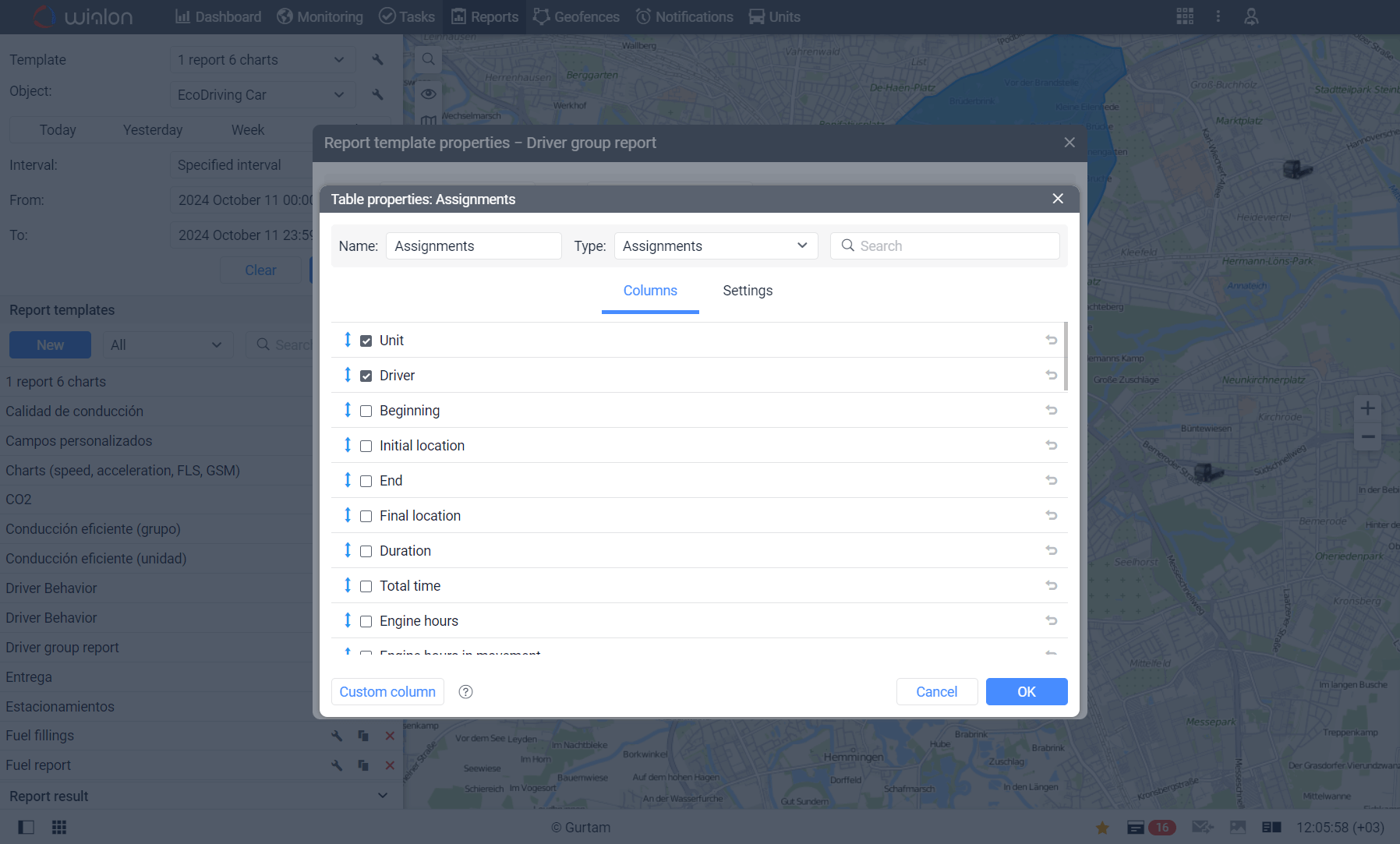
Wialon allows Stops Reports to be adapted to different operational requirements. Managers can select relevant columns and apply interval filters based on factors such as stop duration, driver, trailer, sensor state, fuel activity, or battery charging. Reports can be viewed with corresponding map markers and exported in formats such as PDF, XLSX, or CSV. Wialon can also automate report delivery by email, making stop information easier to share with dispatchers, supervisors, and other authorized team members. These flexible reporting tools help businesses focus on meaningful events instead of reviewing every individual GPS message. Learn more about Wialon’s Stops table and reporting options.
Turn Stop Data into Actionable Fleet Insights
Wialon Stops Reports give businesses a practical way to understand short periods of vehicle inactivity during trips. With accurate configuration and compatible tracking hardware, these reports can help verify stop locations, investigate delays, recognize recurring operational patterns, and support better fleet decisions. Forall Tracking can help you configure Wialon reporting around your vehicles and business requirements. Contact us to learn how Wialon Stops Reports can improve visibility across your fleet.
Frequently Asked Questions
What is a Stops Report in Wialon?
A Wialon Stops Report shows when and where a tracked vehicle briefly remained stationary during a trip. It can help fleet managers review stop times, durations, locations, drivers, and other available operational data.
How does Wialon identify a vehicle stop?
Wialon uses GPS tracking data and the vehicle’s trip detector settings to identify stops. Generally, a stop occurs when the vehicle’s speed falls below the configured minimum moving speed without remaining stationary long enough to be classified as parking.
What information can a Wialon Stops Report display?
Depending on the report configuration and available data, a Stops Report can show the beginning and end of each stop, duration, address, coordinates, assigned driver, trailer, mileage, engine hours, fuel information, and sensor values.
Can Wialon show vehicle stop locations on a map?
Yes. Wialon can display stop markers on a map, allowing fleet managers to connect each report entry with its geographic location and review where brief interruptions occurred.
What is the difference between a stop and parking in Wialon?
A stop is generally a short period of inactivity that does not end the current trip. Parking occurs when the vehicle remains stationary for at least the minimum parking time specified in the trip detector settings.
Can Wialon show how long a vehicle remained stopped?
Yes. A Wialon Stops Report can show the duration of every detected stop, along with its beginning and end times.
Can Wialon Stops Reports help identify operational delays?
Yes. Stops Reports can reveal repeated interruptions, unexpected waiting periods, traffic-related delays, and other patterns that may affect schedules and fleet productivity.
Can I see the address of each vehicle stop?
Yes. When address information is available, Wialon can include the location address for each detected stop. Coordinates may also be displayed to provide a more precise geographic reference.
Can Stops Reports identify the driver associated with a stop?
Yes. If driver assignment is properly configured, the report can show which driver was assigned to the vehicle during a detected stop.
Can Wialon Stops Reports help verify customer visits?
Stops Reports may help confirm that a vehicle briefly stopped at or near a customer location. Geofences, trip records, and other tracking data can provide additional context when verifying a visit.
Can I filter Wialon Stops Reports by stop duration?
Yes. Duration filters can be used to focus the report on stops within a selected time range, helping managers exclude events that are too short or too long for the intended analysis.
Can Wialon filter stops by driver or trailer?
Yes. Stops Report intervals can be filtered using assigned driver or trailer information when those resources and assignments are properly configured.
Can I review stops for a specific vehicle and date range?
Yes. Wialon reports can be generated for selected vehicles and reporting periods, allowing managers to examine stop activity for a particular day, week, month, or custom interval.
Can Wialon Stops Reports help improve route planning?
Yes. Recurring stops at congested intersections, loading areas, or other delay-prone locations may reveal opportunities to adjust routes, schedules, or dispatching practices.
Can Wialon distinguish a stop from vehicle idling?
Stops and idling are different types of vehicle activity. A stop is based primarily on movement and trip detector settings, while idling generally refers to a stationary vehicle with its engine operating. Available ignition, engine-hour, and sensor data can provide additional context.
Can Wialon Stops Reports show fuel-related information?
Yes. When compatible fuel sensors and appropriate tracking data are available, reports may include fuel consumption, initial and final fuel levels, fuel fillings, suspected fuel thefts, or other related information.
Can Wialon Stops Reports include custom sensor values?
Yes. Wialon reports can include available sensor information associated with stop intervals. The exact values depend on the installed hardware, transmitted data, sensor configuration, and selected report columns.
Can Wialon Stops Reports be exported?
Yes. Wialon reports can be exported in supported formats such as PDF, Excel, CSV, HTML, and XML. Available formats and export settings depend on the report content, account configuration, and user permissions.
Can Wialon send Stops Reports automatically?
Yes. Report execution jobs can be configured to generate and send reports automatically according to a selected schedule, helping authorized employees receive recurring stop information.
How can Forall Tracking help with Wialon Stops Reports?
Forall Tracking can help configure vehicles, trip detector settings, report templates, columns, filters, and scheduled reporting according to your operational requirements. Contact us to learn how Wialon Stops Reports can improve fleet visibility and productivity.

Check Pricing
All of our GPS tracking solutions are customized for your business and tailored to your budget...

Return on Investment
At GPS Tracking Canada, we understand that every company benefits from GPS Tracking in different ways...

Request a Demo
Get a live one-on-one demonstration from GPS Tracking Canada. See for yourself how customized...
For more information, or to schedule a demo or an installation,