

Wialon Timesheet and Work Hours Reports
Wialon timesheet and work hours reports help businesses understand when drivers and mobile employees begin work, finish their shifts, and use assigned vehicles or equipment. Using driver assignments and data transmitted by compatible GPS tracking devices, Wialon can create timesheet-style records containing shift start and end times, total shift duration, assigned vehicle, mileage, engine hours, movement time, and idling time. These reports provide an organized source of operational data for reviewing employee hours, preparing payroll records, confirming completed work, and managing field operations. Available information and accuracy depend on the tracking hardware, sensors, driver identification method, report settings, and quality of the transmitted data.
Replace Paper Timesheets with Digital Work-Hour Records
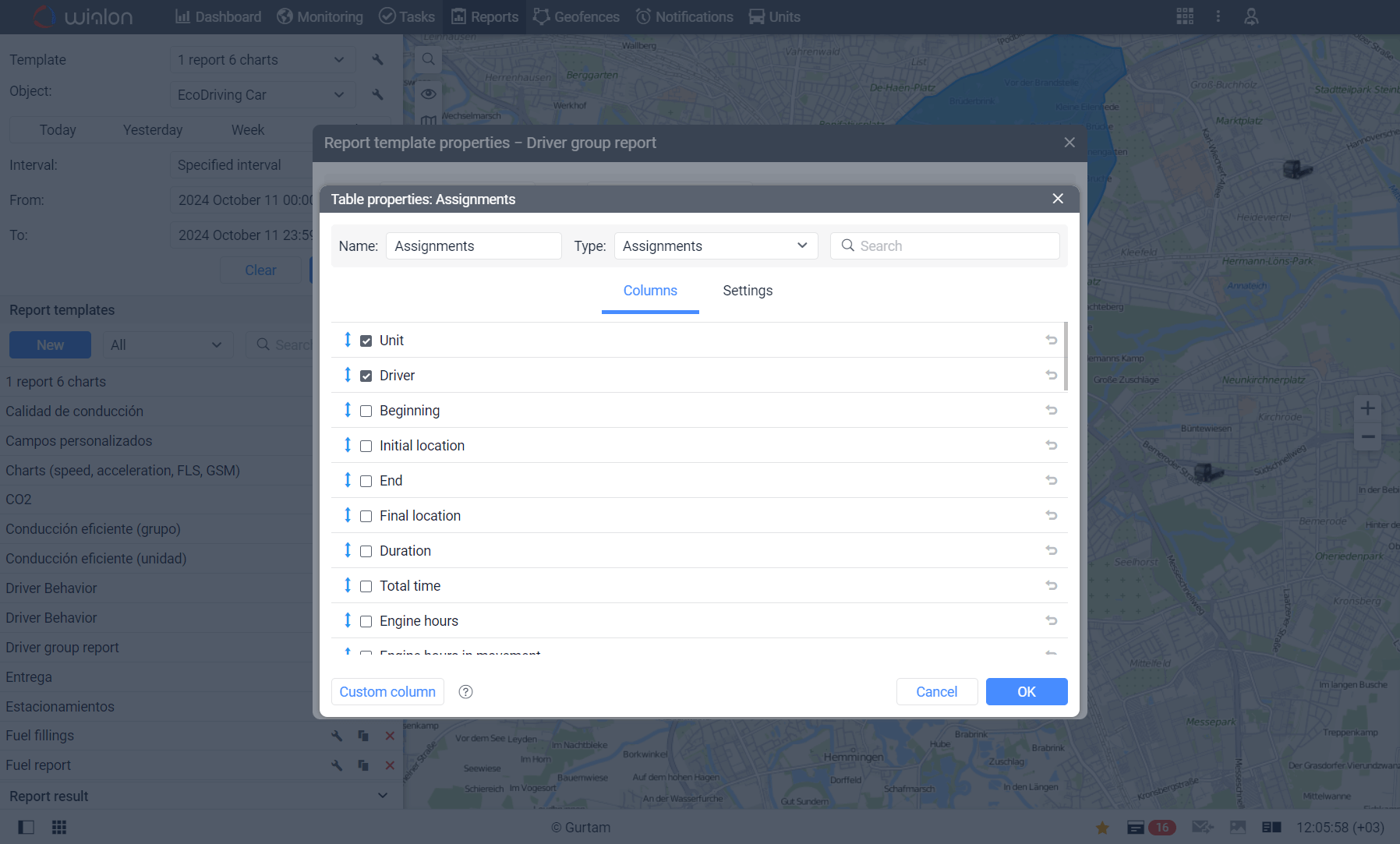
Wialon allows managers to review work shifts using recorded driver assignments and vehicle activity instead of relying entirely on handwritten timesheets or employees’ recollections. Drivers can be assigned to vehicles manually or automatically using compatible identification equipment, such as electronic keys with RFID tags. The resulting assignment report can show when a driver was connected to a vehicle, when the work interval ended, how long the shift lasted, and which vehicle was used. These digital records can reduce manual data entry, make missing or inconsistent timesheets easier to identify, and give administrators more reliable information to review before processing payroll or customer invoices.

Verify Work Hours with Vehicle Activity Data
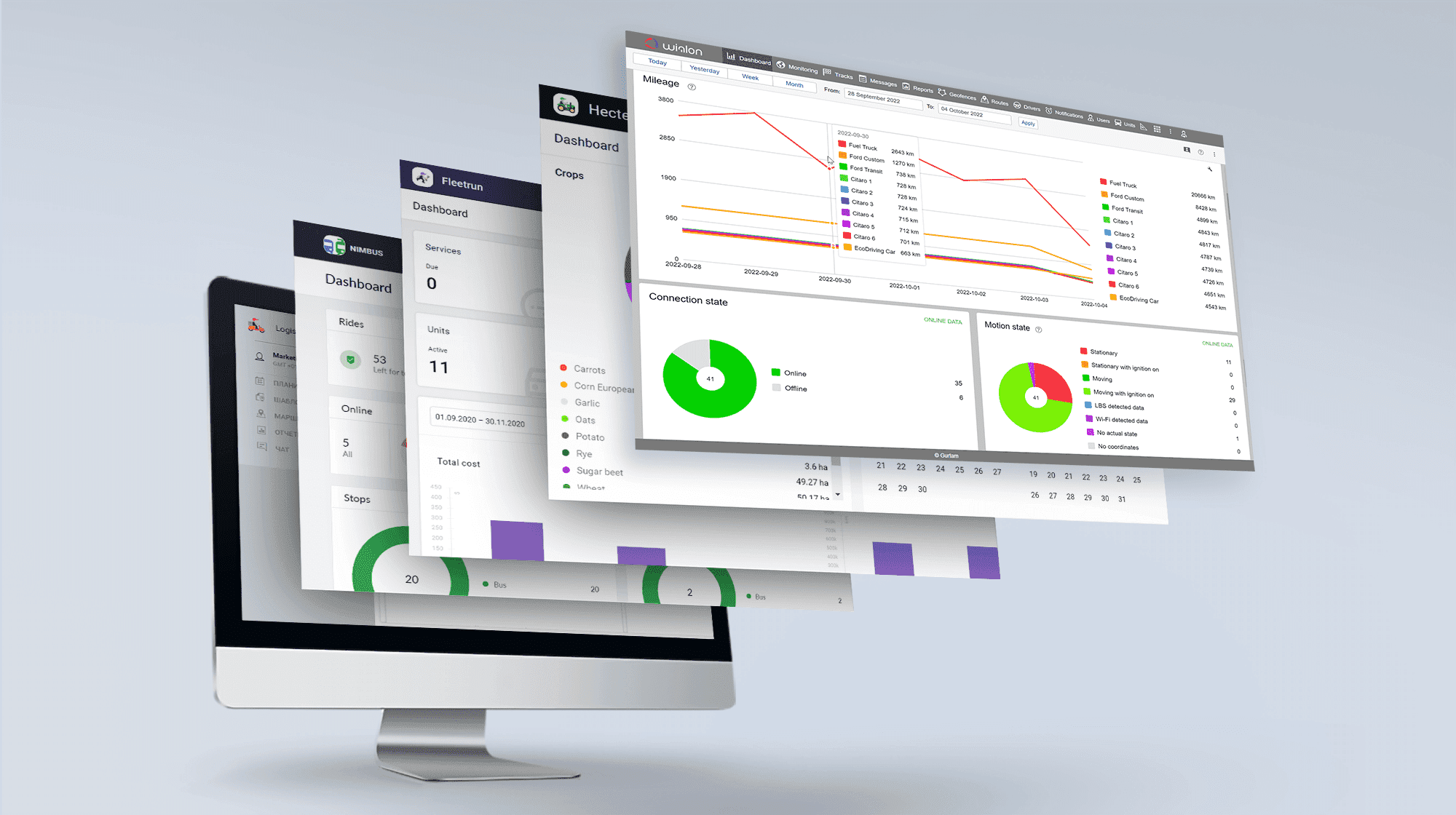
Wialon work hours reports can provide operational context that a basic clock-in and clock-out record cannot. Depending on the available tracking data, managers can compare shift duration with engine hours, movement time, idling time, mileage, trips, and vehicle locations. This makes it easier to understand how working time was spent, confirm that vehicles reached expected destinations, and investigate unusually long shifts or unexplained periods of inactivity. By connecting employee hours with recorded fleet activity, businesses can make better-informed decisions about productivity, scheduling, dispatching, and resource allocation.
Simplify Reporting for Drivers and Field Teams
Reusable Wialon report templates help businesses organize work-hour information according to their operational needs. Reports can be created for individual drivers, groups of drivers, vehicles, or vehicle groups and can be filtered, sorted, grouped, and detailed for selected reporting periods. Completed reports can be viewed online, printed, exported in formats such as PDF, Excel, and CSV, or scheduled for automatic email delivery. This flexibility helps supervisors, administrators, and managers receive consistent records without rebuilding the same report each day, week, or pay period.
Improve Work-Hour Visibility with Forall Tracking
Wialon timesheet and work hours reports give businesses a clearer and more efficient way to review employee shifts, vehicle use, and field activity. When driver identification, GPS hardware, sensors, time zones, and report templates are configured correctly, these reports can support payroll preparation, job verification, productivity analysis, and operational planning. They should be reviewed alongside company policies and applicable employment or recordkeeping requirements. To learn how Wialon can be configured for your drivers, vehicles, and reporting workflow, contact us at Forall Tracking.
Frequently Asked Questions
What are Timesheet and Work Hours Reports in Wialon?
Wialon timesheet and work hours reports provide timesheet-style records based on driver assignments and vehicle activity. They can show when a driver was assigned to a vehicle, when the assignment ended, the duration of the work shift, and related operational information.
How does Wialon track driver work hours?
Wialon determines work intervals using driver assignment and separation records. These events can be registered manually or generated automatically using compatible driver identification equipment and properly configured sensors.
What information can a Wialon work hours report include?
Depending on the report configuration and available tracking data, the report can include the driver, assigned vehicle, shift beginning and end, shift duration, initial and final locations, mileage, engine hours, movement, idling, speeds, fuel consumption, and recorded violations.
Can Wialon show when a driver started and finished a shift?
Yes. The Assignments report can display the date and time when a driver was assigned to a vehicle and when the driver was separated from it. These records can serve as the beginning and end of a reported work shift.
Can Wialon calculate the duration of a driver's shift?
Yes. Wialon can calculate shift duration from the recorded assignment and separation times. Accurate results depend on drivers being assigned and separated correctly and the necessary data reaching the platform.
How are drivers identified in Wialon?
Drivers can be created as resources in Wialon and assigned unique identification codes. Depending on the setup, a driver can be selected manually or identified automatically through compatible equipment such as an electronic key with an RFID tag.
Can drivers be assigned to vehicles manually?
Yes. Authorized users can manually assign a driver to a vehicle and separate the driver when the assignment ends. Wialon can also register a past work shift manually when a valid assignment was missed.
Can Wialon assign drivers to vehicles automatically?
Yes. Automatic assignment is possible when compatible identification equipment, a Driver assignment sensor, driver codes, and an automatic assignment list are configured correctly. For example, a driver may present an RFID-enabled electronic key to a reader installed in the vehicle.
Can Wialon report work hours for individual drivers and driver groups?
Yes. Report templates can be created for an individual driver or a group of drivers. Group reports help managers review work shifts across teams while still identifying the driver and vehicle associated with each assignment.
Can a Wialon work hours report show which vehicle a driver used?
Yes. The Assignments table can identify the vehicle or tracked unit associated with each driver assignment. This helps businesses connect reported work periods with specific vehicles or equipment.
Can Wialon connect work hours with vehicle mileage?
Yes. When mileage data is available, Wialon can show the distance travelled during the interval in which the driver was assigned to the vehicle. This provides additional context for reviewing field activity and vehicle use.
Can work hours reports include engine hours and idling?
Yes. Depending on the tracking device, sensors, and configuration, the Assignments report can include total engine hours, engine hours in movement, and engine hours during idling for the driver’s working interval.
Can Wialon show where a driver's shift started and ended?
Yes. If location information is available, the report can display the initial location when the driver was assigned and the final location when the driver was separated. This can help managers confirm where vehicle-based work intervals began and ended.
Can Wialon report multiple shifts during a selected period?
Yes. Wialon can identify multiple driver assignments within the chosen reporting interval. Detailed report settings allow managers to expand the results and review the individual work shifts associated with each vehicle.
Can Wialon work hours reports help with payroll preparation?
Yes. Work-hour reports can provide supporting records for reviewing shift times before payroll is processed. However, businesses should verify the information and apply their own payroll rules, employment policies, and applicable legal requirements.
Can Wialon help verify completed fieldwork?
Yes. Managers can compare recorded shift times with vehicle assignments, mileage, engine activity, trips, and available location information. This operational context can help confirm vehicle use and investigate differences between submitted timesheets and recorded activity.
Can Wialon reports be exported?
Yes. Executed Wialon reports can be exported in formats including PDF, Excel, CSV, HTML, and XML. Available formats and export settings depend on the report content, account configuration, and user permissions.
Can Wialon send work hours reports automatically?
Yes. Wialon can be configured to send reports automatically using scheduled jobs or applicable notifications. This can help supervisors and administrators receive recurring work-hour information for daily, weekly, or other reporting workflows.
Can incorrect or missing driver assignments be corrected?
Authorized users can review assignment history and add past shifts manually when necessary. Incorrect manual assignment records can be deleted, while automatic assignment events can be marked as false when supported by the system.
How accurate are Wialon Timesheet and Work Hours Reports?
Accuracy depends on the tracking hardware, driver identification method, sensor configuration, assignment procedures, data transmission, time-zone settings, and report template. For accurate automatic shifts, assignment and separation messages should be transmitted chronologically in real time. Businesses should review report data before using it for payroll, billing, compliance, or employment decisions.

Check Pricing
Explore GPS fleet tracking solutions tailored to your business needs and budget.

Return on Investment
See how GPS fleet tracking can help improve efficiency, reduce costs and increase visibility across your fleet.

Request a Demo
Get a live, one-on-one demonstration and see how Forall Tracking can help your business.
For more information, or to schedule a demo or an installation,